
Map Update Instructions for Mac OS X
Please follow this instructions for a map update using Mac OS X:
1. Download the map update installer from here.
2. Connect your carNAVi via USB and select the ‘USB connection’ icon on the units touch screen.
3. Open your download folder and run the update installer.
4. Read the instructions on the startup screen: 
5. Click CLOSE and you see the next screen: 
6. Select the carNAVi device:
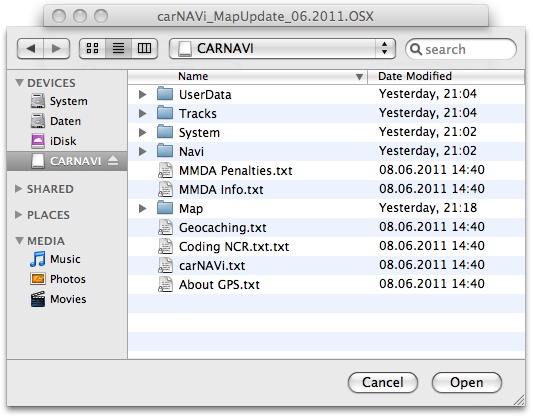
7. Wait until the update is processed: 
8. After finishing the update, disconnect the carNAVi from your Mac and restart the navigation software. The new maps will be indexed automatically.
Note: Some carNAVi devices are not compatibel with some Apple computers and/or Mac OS X versions, if your carNAVi is not detected properly, try to connect the device to another USB port or install a standard USB 2.0 hub where you connect the carNAVi device.
Alternatively you may use a SD card reader to update your map.
________________________________


